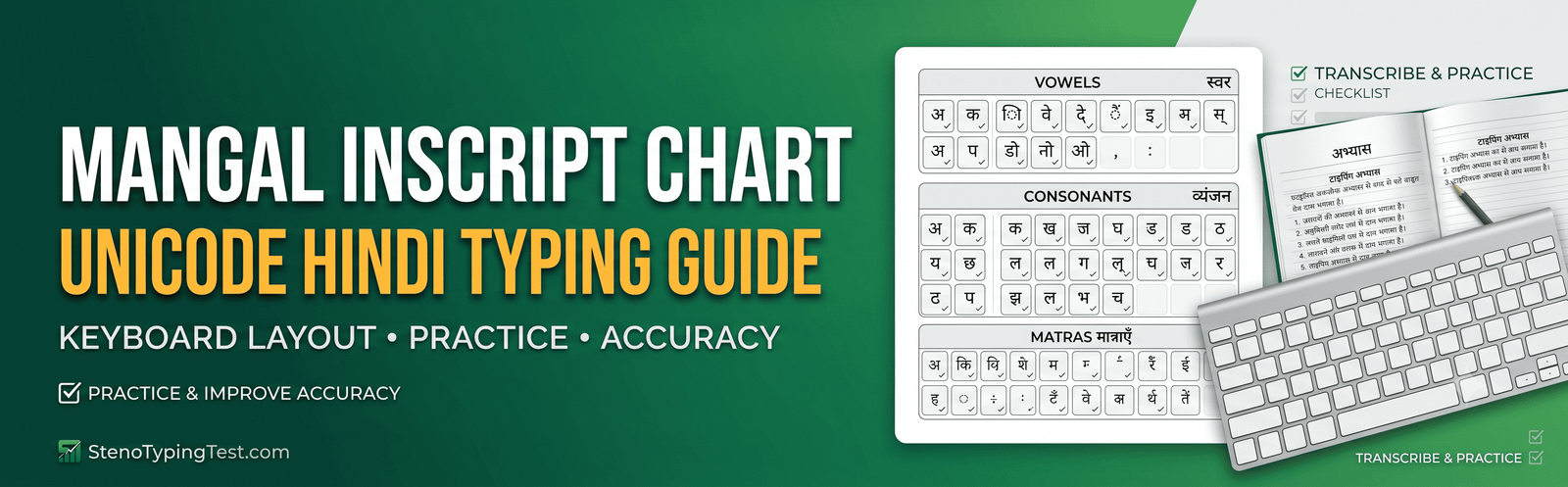
Mangal Hindi typing seekhne ke liye InScript keyboard layout, matras, vowels aur consonants ki regular practice important hai. SSC, court recruitment, CPCT aur anya Hindi typing examinations ki preparation karne wale candidates ko pehle apne exam mein prescribed keyboard layout aur typing instructions confirm karne chahiye.
Is guide mein Mangal Unicode typing ka introduction, keyboard practice areas, Kruti Dev aur Unicode typing ke differences aur ek practical 7-day routine diya gaya hai.
What Is Mangal Unicode Hindi Typing?
Mangal ek Unicode Hindi font hai. Unicode text ko standard character encoding mein represent karta hai, jisse compatible applications mein Hindi text ko use aur exchange karna aasaan hota hai.
Font aur keyboard layout alag cheezein hain. Mangal font select karne se keyboard automatically InScript layout par switch ho, yeh zaroori nahi hai. Typing shuru karne se pehle apne operating system ya typing platform par correct Hindi input method select karein.
Mangal InScript Keyboard Chart
InScript layout ko samajhne ke liye vowels, consonants, matras aur special characters ko alag-alag practice karein. Exact key positions ke liye apne selected InScript layout ka verified keyboard chart use karein.
1. Vowels and Matras
Hindi vowels aur unki matra forms ko pehchanna seekhein. Independent vowels aur consonants ke saath use hone wali matras ka appearance alag ho sakta hai.
Practice examples: अ, आ, इ, ई, उ, ऊ, ए, ऐ, ओ, औ
In characters ko pehle identify karein aur phir verified InScript chart ki help se type karein. Capital aur Shift combinations ko guess karne ke bajay correct layout se confirm karein.
2. Consonants and Varg Practice
Hindi consonants ko unke groups ke according practice karna useful hai. Har group ko pehle slow speed par type karein, phir common words aur short sentences mein use karein.
Practice examples: कमल, किताब, गगन, चमन, नदी, भारत, भाषा
3. Halant and Conjunct Characters
Halant (्) consonant combinations aur conjunct formation mein important role play karta hai. Conjunct characters ko type karte waqt correct sequence aur final rendered output check karein.
Practice examples: शक्ति, भक्त, शिक्षा, ज्ञान, श्रद्धा
4. Anusvaar and Chandrabindu
Anusvaar (ं) aur chandrabindu (ँ) ko sahi context mein use karna seekhein. In characters ko interchange karne se spelling incorrect ho sakti hai.
Practice examples: संसार, हिंदी, चाँद, माँ, हँसी
Kruti Dev vs Mangal Unicode
| Feature | Kruti Dev | Mangal Unicode |
|---|---|---|
| Text encoding | Legacy font encoding | Unicode characters |
| Text portability | Correct font and compatible workflow may be required | Generally portable across Unicode-compatible applications |
| Keyboard layout | Depends on selected typing layout | Depends on selected Hindi input layout |
| Practice approach | Use the required Kruti Dev configuration | Use the required Unicode input configuration |
Kruti Dev aur Mangal ki practice ko alag sessions mein karna helpful ho sakta hai, especially jab dono ke keyboard mappings different hon. Apne examination ke prescribed layout ko priority dein.
7-Day Mangal Hindi Typing Practice Plan
| Day | Practice Focus |
|---|---|
| Day 1 | Keyboard layout familiarisation |
| Day 2 | Vowels and matras |
| Day 3 | Consonants and common words |
| Day 4 | Halant and conjunct characters |
| Day 5 | Matra-rich words and spelling accuracy |
| Day 6 | Short Hindi paragraphs |
| Day 7 | Timed typing test and error review |
Common Hindi Typing Mistakes
- Typing without confirming the active keyboard layout.
- Confusing independent vowels with their matra forms.
- Making repeated mistakes in conjunct characters.
- Ignoring spelling errors while trying to increase speed.
- Using a keyboard mapping that differs from the examination requirements.
Accuracy ko regularly check karein aur repeated mistakes ki list banayein. Speed ko gradually increase karein as your accuracy improves.
Practice Mangal Hindi Typing Online
StenoTypingTest.com par available Hindi typing practice tools use karke apni typing consistency improve karein. Practice start karne se pehle confirm karein ki selected test required Unicode Hindi input method ko support karta hai.
Start Mangal Hindi Typing Practice
Typing practice ke dauran correct character output, spelling aur speed ko track karein. Apne target examination ke official typing instructions ke according practice settings choose karein.
Frequently Asked Questions
What is the Mangal InScript keyboard layout?
InScript ek Hindi input keyboard layout hai. Iska use karte waqt exact key positions selected layout ke verified chart se confirm karni chahiye.
Is Mangal a Unicode font?
Yes, Mangal ek Unicode Hindi font hai. Unicode text compatible applications mein Hindi characters ko standard encoding ke through represent kar sakta hai.
Is Mangal typing the same as Kruti Dev typing?
Nahi. Mangal Unicode aur Kruti Dev legacy-font workflows mein difference hai. Dono ke liye required input method aur examination instructions verify karein.
How can I improve Hindi typing speed?
Daily keyboard practice, matra drills, paragraph typing aur error analysis se speed aur accuracy improve karne mein madad mil sakti hai.
Conclusion
Mangal InScript Hindi typing mein improvement ke liye correct keyboard layout, matra practice, conjunct characters aur timed paragraphs par regular kaam karein. Verified keyboard chart use karein aur apne progress ko speed ke saath accuracy ke basis par bhi measure karein.
Hindi typing practice ke liye StenoTypingTest.com visit karein.
Disclaimer: Keyboard layouts aur examination requirements differ kar sakte hain. Exact key mappings aur test rules ko apne selected input method aur official examination instructions se verify karein.
Practice AHC Formatting
Try a realistic Allahabad High Court mock test. Master spacing, alignment, and formatting rules.